
So, as you guys know, last month Xiaomi launched HyperOS 4 in China. The beta testing has already started, and you should soon be able to see the stable version as well.
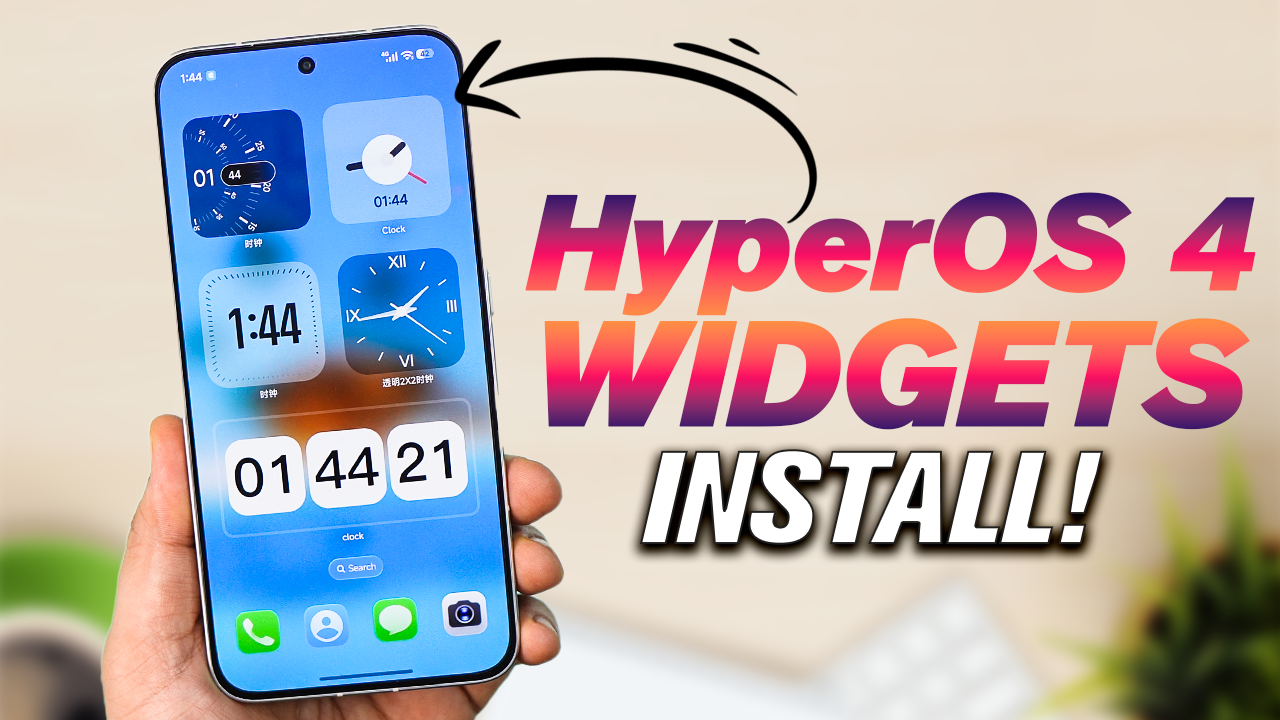
You must have already noticed that HyperOS 4 comes with a Liquid Glass, or Soft Glass UI. Xiaomi has tried to bring this Soft Glass look to different parts of the system.
In the same way, quite a few widgets have also been updated. The widgets now come with a Liquid Glass, or Soft Glass UI, giving them a completely new look. With these, you’ll be able to use a lot of new widgets on your HyperOS home screen and fully customize them according to your preference — whether you want the normal look or the new Soft Glass UI.
A lot of new widgets have been released, and you can actually use them on your Xiaomi HyperOS 3 phone as well. Whether you have a Xiaomi phone or a Redmi phone, these widgets will work. They don’t work on POCO phones because POCO devices come with the POCO Launcher.
Install HyperOS 4 Liquid Glass Widgets on HyperOS 3!
So, if your Xiaomi or Redmi phone has the HyperOS 3 Launcher, these widgets should work perfectly.
In this video, I’ll show you how you can use the transparent widgets from HyperOS 4 on your HyperOS 3 phone.
You don’t need to unlock your phone’s bootloader, you don’t need to root your phone, and you don’t even need to download any third-party application.
All you have to do is download the backup ZIP file, restore it on your Xiaomi or Redmi HyperOS 3 phone, and after that, you’ll be able to activate all these latest Liquid Glass widgets on your HyperOS 3 device.
Download HyperOS 4 Widgets
I’ve provided the link to the backup file below, so you can download it from there and restore it on your phone.
Download Link of HyperOS 4 Widgets Backup File
I’ve also added a video below where I’ve shown you all the steps in detail. So, if you face any problems, you can check that video as well.
Video Guide – Install HyperOS 4 Widgets
And don’t forget to follow us!
